Practical possibilities
AI Adoption Scenarios
Explore illustrative workflows for real estate, property management, field services, e-commerce, solo entrepreneurs, solo practices and local services. These are ideas for scoped pilots, not completed client case studies or guaranteed outcomes.
AI workflows for your industry
Choose an industry to explore a five-step workflow. These examples show how AI can understand requests, prepare useful work and connect your tools, with scope and integrations tailored to your business.

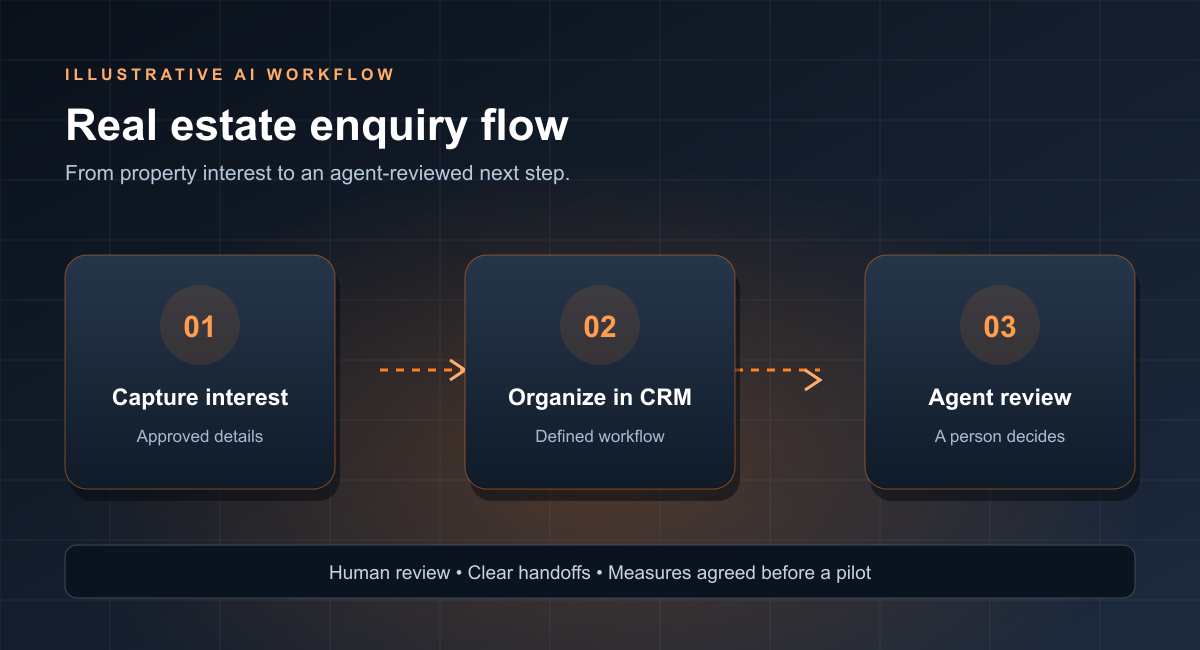
Turn property inquiries into agent-ready opportunities
Connect website conversations, listing information and your CRM.
- 01Capture
AI asks about the property, timing and preferred contact method.
- 02Understand
Extract interest, location and missing details into a brief.
- 03Connect
Create or update the CRM record and assign an agent.
- 04Draft
Prepare a tailored reply and suggested viewing invitation.
- 05Approve & follow up
Agent approves; activity is logged and reminders are queued.

Turn maintenance messages into coordinated work orders
Bring tenant intake, issue summaries and work order preparation together.
- 01Collect
AI gathers the issue, location, access details and optional photos.
- 02Interpret
Summarize the request and suggest an issue category.
- 03Triage
Apply agreed rules and flag possible urgency for staff review.
- 04Prepare
Draft the work order and a tenant acknowledgement.
- 05Coordinate
Staff approve assignment; automation tracks updates and closure.

Move from first inquiry to a quote-ready job brief
Keep plumbers, electricians and HVAC teams focused on the job.
- 01Capture
Collect the job type, address, photos and preferred timing.
- 02Clarify
AI asks relevant follow-up questions and summarizes the scope.
- 03Route
Match the job type and service area to the right team.
- 04Prepare
Draft a job brief, appointment options and estimate outline.
- 05Confirm
Staff confirm availability and pricing before sending.

Answer product questions and guide the next purchase step
Build useful customer support around approved catalog and policy information.
- 01Listen
Capture the shopper’s question and product context.
- 02Retrieve
Find relevant product specifications and approved policies.
- 03Respond
AI drafts a grounded answer with helpful product links.
- 04Escalate
Route uncertain answers, account issues and exceptions to staff.
- 05Improve
Log recurring questions for content updates and quality review.

Turn guest inquiries into a prepared welcome
Connect pre-arrival questions, service requests and front desk handoffs.
- 01Welcome
Capture stay dates, preferences and guest questions.
- 02Find answers
Retrieve approved amenities, check-in and service information.
- 03Personalize
Draft a relevant response and suggested guest services.
- 04Coordinate
Create staff tasks for requests that need confirmation.
- 05Confirm & follow up
Staff approve commitments; send approved pre-arrival reminders.

Make appointment inquiries easier to organize
Support administrative scheduling without making clinical decisions.
- 01Receive
Capture a general appointment inquiry using minimal information.
- 02Clarify
AI identifies the requested service and preferred contact time.
- 03Inform
Prepare answers from approved hours and scheduling policies.
- 04Route
Create an administrative task for the appropriate staff member.
- 05Confirm
Staff confirm appointment details and approved reminders.
Administrative workflow only. Clinical questions go to qualified staff; no sensitive records are needed for the example.

Prepare administrative inquiries for attorney review
Organize initial contact while protecting professional judgment.
- 01Receive
Collect general inquiry type and contact preferences.
- 02Organize
AI summarizes the request without requesting confidential evidence.
- 03Check process
Retrieve approved practice information and intake requirements.
- 04Prepare
Draft an intake task and an administrative acknowledgement.
- 05Review
Attorney or staff assess next steps before confirming engagement.
No automated legal advice, conflict clearance or acceptance of representation.

Turn equipment issue reports into actionable maintenance tasks
Help production teams capture issues and coordinate approved next steps.
- 01Capture
Collect equipment ID, symptoms, shift details and photos.
- 02Structure
AI extracts the issue summary and missing information.
- 03Retrieve
Find relevant approved manuals and maintenance history.
- 04Prepare
Draft a task with references for technician review.
- 05Assign & track
Authorized staff approve work; track status and closure notes.
Qualified staff retain control of safety procedures, diagnosis and equipment operation.

Turn course inquiries into a clear learner journey
Connect program information, inquiry routing and enrolment support.
- 01Ask
Capture course interest, goals and preferred study schedule.
- 02Retrieve
Find approved course details, prerequisites and dates.
- 03Guide
AI prepares a relevant information pack and next-step checklist.
- 04Route
Send exceptions and eligibility questions to program staff.
- 05Follow through
Staff confirm details; approved reminders support completion.
Staff retain control of admissions, eligibility and learner decisions.
Explore more ways to work with AI
Six practical starting points, from customer inquiries to content and team skills.
Build a quote-ready brief
- 01Capture the request
- 02Clarify job details
- 03Route to the team
- 04Draft the estimate outline
- 05Approve the quote
AI organizes the brief and prepares the handoff. Staff confirm scope, availability and price.
Measure: brief completeness · time to quote
Turn questions into helpful answers
- 01Capture the question
- 02Retrieve approved sources
- 03Draft a product answer
- 04Escalate exceptions
- 05Review answer quality
Connect product and policy knowledge to consistent customer support, with staff handling account changes and refunds.
Measure: answer accuracy · escalation quality
Build a repeatable content engine
- 01Choose a topic
- 02Research approved sources
- 03Draft with AI
- 04Check facts and voice
- 05Owner approves publication
Turn expertise into reusable research, drafting and review steps. Keep the owner’s judgment and brand voice in the loop.
Measure: preparation time · revision effort
Organize administrative inquiries
- 01Limit information collected
- 02Identify the request
- 03Retrieve practice information
- 04Draft a response
- 05Practitioner reviews
Prepare non-sensitive intake and administrative replies. Professional decisions and confidential case records stay with the practitioner.
Measure: handoff clarity · admin time
Give each local lead a next step
- 01Capture the lead
- 02Summarize the need
- 03Create the CRM record
- 04Assign an owner
- 05Approve follow-up
Connect website inquiries to the CRM, an assigned person and approved reminders. Review consent before customer messages.
Measure: response time · follow-up completion
Turn AI training into daily practice
- 01Choose one useful task
- 02Set approved inputs
- 03Practice with prompts
- 04Review the outputs
- 05Refine the team playbook
Build role-specific skills around real tasks, reusable prompts and a shared review checklist using non-sensitive examples.
Measure: task quality · adoption